How to find all your subscriptions

Subscriptions are the expenses you stop seeing. Each one is small, it renews on its own, and the charge lands between the groceries and a taxi. So most people don't know how many they have. I check mine every now and then, and I always find one I'm not using.
A subscription can only charge you from a few places: the app store on your phone, PayPal, or your card directly. If you check those, you have the whole list. Here's how to check each one, and then how I keep mine visible without doing this every few months.
1. The app store on your phone
Everything you subscribed to inside an app is here: the meditation app, the extra storage, the streaming service you signed up for from your phone. It's the easiest list to check and the one people forget.
On an iPhone, open Settings, tap your name, and tap Subscriptions. You'll see the active ones first and the expired ones below. The same list is in the App Store on a Mac, under your name, and on the web at account.apple.com. To cancel one, tap it and tap Cancel Subscription. Apple keeps it active until the end of the period you already paid.
On Android, open the Play Store, tap your profile picture at the top right, and go to Payments and subscriptions, then Subscriptions. Google also lists them in your Google account under Payments and subscriptions. Cancelling works the same way: open the subscription and tap Cancel subscription.
2. PayPal
If you ever paid for something with PayPal, there may be an automatic payment sitting there. On the PayPal website, go to Settings, then Payments, then Automatic payments. Each merchant in that list can charge you again without asking. You can cancel it right there.
3. Your card
The rest charges your card directly: Netflix, Spotify, the gym, your phone plan, the cloud storage plan you don't remember. There's no menu for these, so you read the statement. Open your card's last two months and go line by line. Anything that appears in both months, with the same amount and the same name, is a subscription.
It takes ten minutes and it's boring, which is why nobody does it. If you have more than one card, do it for each one. The subscription you forgot is usually on the card you use less.
4. Your inbox
Every renewal sends you an email, so your inbox already has the list too. Search it for "receipt", "renewal", "your subscription" and "payment confirmation", and for the names you already know. Sort by date and you'll see which ones charged you this month.
This is the only place where the app store subscriptions, PayPal and the card charges all show up together. That's why it's the one I use.
Apps that find them for you
There are apps that do this search for you, like Rocket Money. You link your bank accounts, they read every transaction, and they show you the recurring ones. The finding part is free. If you're fine giving an app access to your bank, that works. I'm not, and in Peru it isn't even possible, so I went the other way: I wrote about that in budget apps that don't link to your bank.
I built Bolsaro, so take this part with that in mind. It doesn't have a subscription finder. What it does is read the emails your bank and your subscriptions already send you, so each renewal lands in the app as an expense, in the Subscriptions category, the day it charges. It's not magic: it only sees what emails you. But the list is just there, and I don't have to go read a statement every few months.
My subscriptions right now
Right now I pay for Netflix, and for Google, which gives me more storage on Drive and some of the AI features. Then the ones for my work as a developer: Vercel, Neon, Resend, ImprovMX, AWS, and two AI coding tools at $20 each, Codex and Cursor. The Google one is $22.73 a month, Resend is around $10, ImprovMX around $13, and AWS is almost nothing. In total that's about $140 a month.
I didn't find them by reading a statement. I found them like a month ago, while building Bolsaro and testing it with my own account. The renewals started landing in the app one by one, and the reality is I had more subscriptions than I thought. A few of them I wasn't using at all, so I cancelled them.
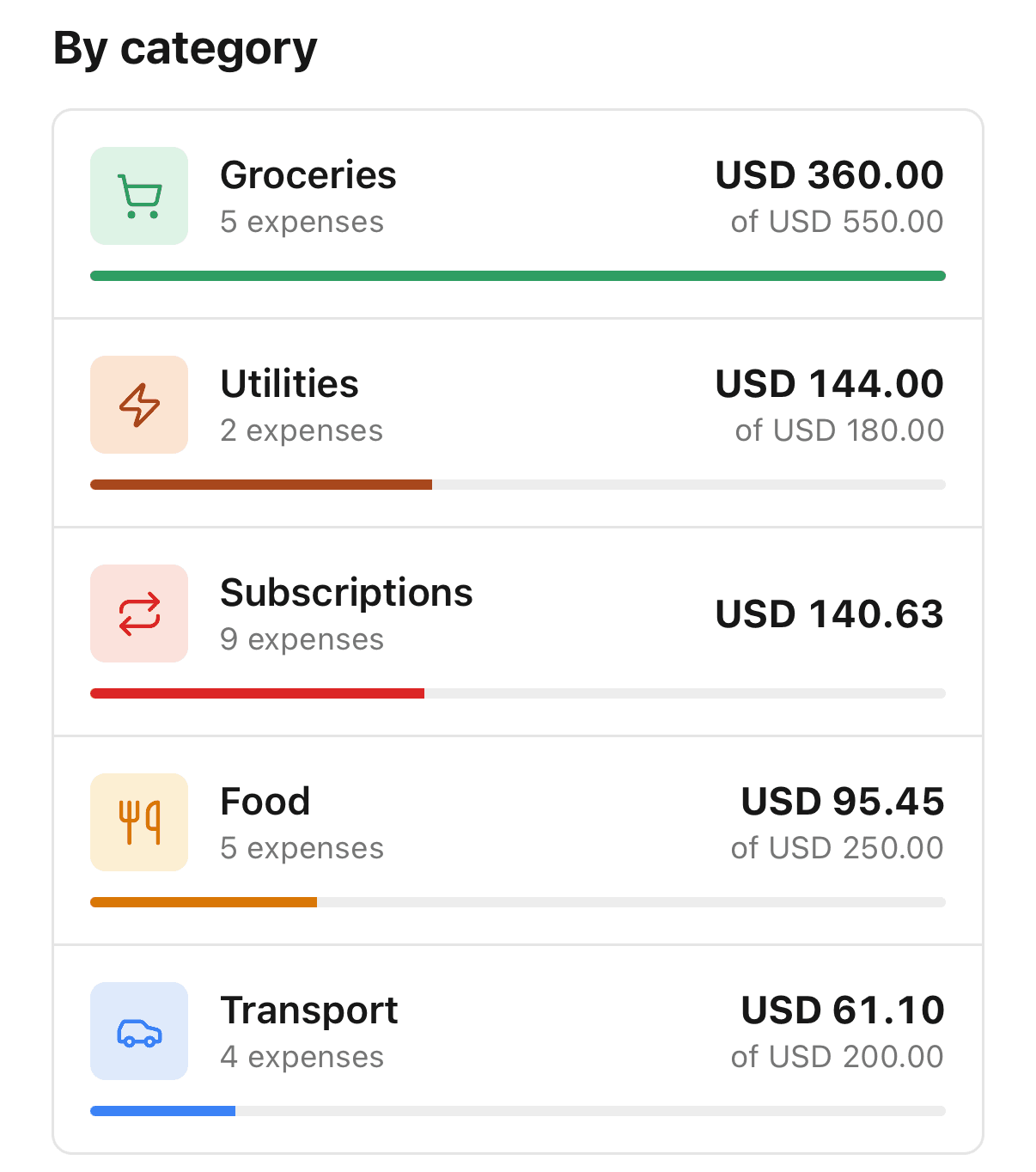
The ones that got me were AI image generators. I tried a few, each one charged me every month, and I paid two or three months for tools I wasn't opening. A subscription doesn't need you to use it to charge you. I don't have any yearly plans, so at least nothing surprises me once a year.
I also cancelled Duolingo. Not because it's a bad app: I was learning French and I lost the motivation. I'd rather spend that time getting better at things I actually enjoy.
If I'm honest, I didn't know that total until the app added it up for me. And I found the unused ones by accident. If you go through the four places above on purpose, for sure you'll find one you won't miss.