Budget apps that don't link to your bank

Every budget app that doesn't link to your bank still needs your spending from somewhere. There are only three ways to get it: you type it, you take a photo of the receipt, or the app reads the emails your bank already sends you. So the first choice is which of those fits you. The app comes after that.
I built Bolsaro, one of the apps below, so keep that in mind when you read its part. The other apps are here because they do the job well. I checked every price in September 2026, and each one links to the page where I checked it.
Why people skip the bank link
In my case it was never an option. I'm from Peru, and I never found a budget app there that could connect to my bank. Peru doesn't have open banking yet: the bank regulator is still writing the rules, and the plan is to have it working around 2028. So when I built Bolsaro, the spending had to come from somewhere else.
For a lot of people the reason is privacy. Most budget apps in the US connect through a company like Plaid, which logs in to your bank for the app, and they don't like giving that access. If I'm honest, that worry was never mine, because linking a bank wasn't even a thing where I live. The other reason is the country. Plaid says it covers 20 countries, so in the rest of the world the "connect your bank" button just isn't there.
And to see where your money goes, an app doesn't need to see how much money you have.
Three ways to get your spending in without your bank
| Method | What you do | What it misses | Best for |
|---|---|---|---|
| Type it in | Add each purchase, usually two or three taps | Anything you forget to add | People who want to feel every expense |
| Take a photo of the receipt | Take the photo after you pay | Online orders and card payments with no paper receipt | People who pay mostly in cash |
| Read your bank's email alerts | Set up email forwarding once | Purchases your bank doesn't email you about | Card spending and subscriptions |
The apps
Goodbudget: envelope budgeting, typed by hand
Goodbudget is the envelope method on your phone. You split your income into envelopes (rent, food, going out) and every purchase goes against one of them. The free plan gives you 20 envelopes, one account and two devices, and it never touches your bank. Premium costs $10 a month or $80 a year. It adds unlimited envelopes and a bank sync for US banks, which you can just leave off. Two people can share the same envelopes, so it works well for couples.
EveryDollar (free version): a zero-based budget, typed by hand
EveryDollar is from Ramsey Solutions. The idea is that every dollar of your income gets a job before the month starts. The free version has no bank sync at all, so you type every purchase. Premium costs $17.99 a month or $79.99 a year, and it's mostly about adding that sync. So if you want to stay unlinked, the free version is the one to use. Outside the US it's also the only one you get, and only on the web: the app and Premium are US only.
YNAB with unlinked accounts
YNAB is the most complete budgeting method here, and the most expensive: $14.99 a month or $109 a year, after a 34-day trial. There is no free plan. But you don't have to link anything. Any account can stay unlinked, and you type its purchases or import a file you download from your bank. It makes sense if you want the method and the coaching. If you only want to see where your money goes, it's a lot.
Actual Budget: open source, on your own computer
Actual Budget is free and open source, and it runs on your own computer or on a server you control. Your data never goes to someone else's cloud. You type purchases in, or import the CSV, OFX or QIF files your bank lets you download. It takes some setup, so it's for people who want to own the whole thing.
A spreadsheet
The oldest option, and it never links to anything. If you don't want to install an app, I made a free expense tracker template for Excel. It also opens in Google Sheets and Numbers, and it already has category dropdowns and a monthly summary. The problem is the same as with every manual method: it's only as complete as your habit of filling it in.
Bolsaro: it reads your bank's email alerts
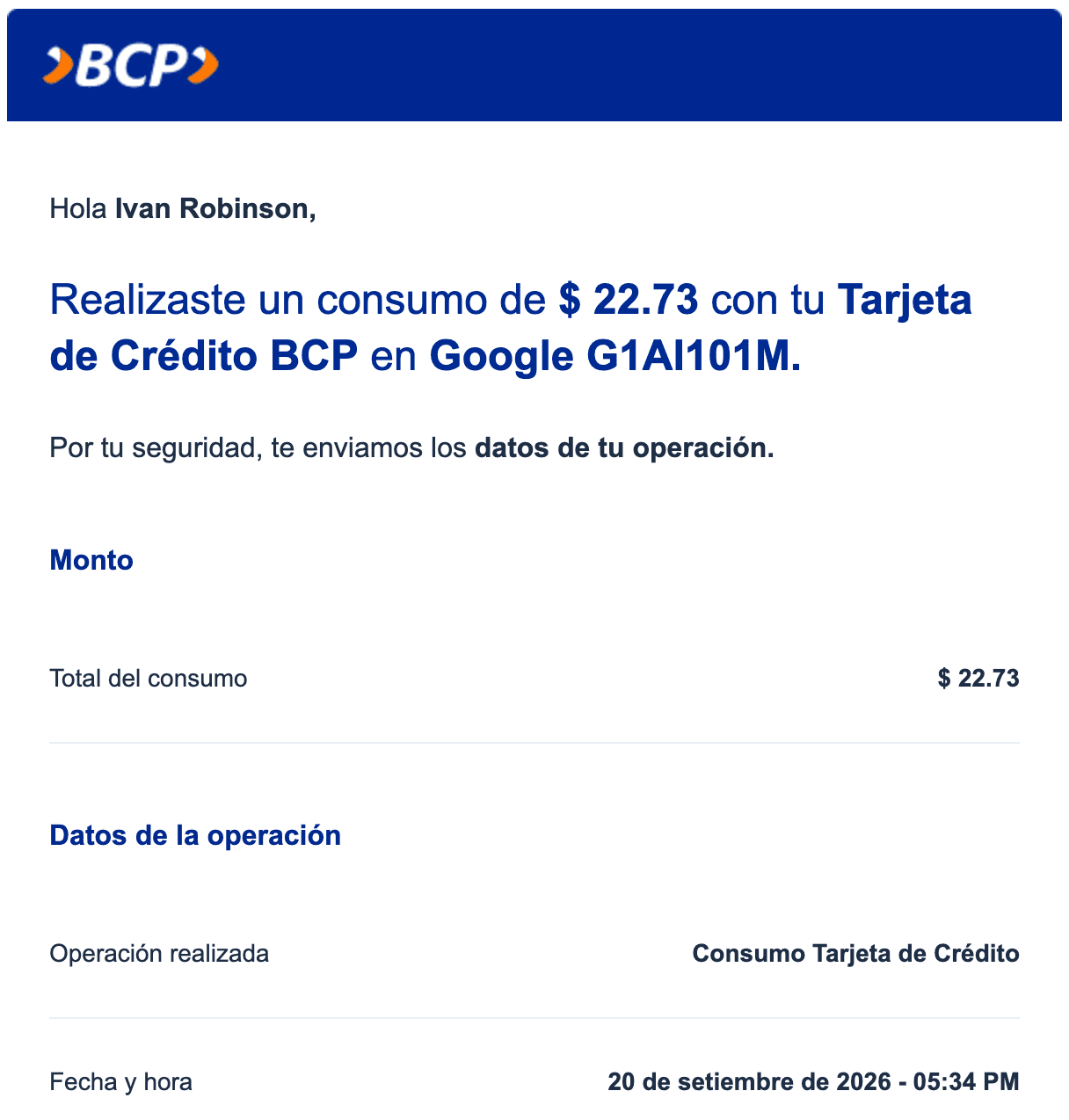
This is the third way from the table, and it's why I built Bolsaro. Every time you pay with your card, a lot of banks send you an email. Netflix, Spotify and the gym do the same. So your inbox already has basically all your card expenses, with the amount and the store.
You set up one forwarding rule in Gmail or Outlook, and that's all it needs. After that, each of those emails becomes an expense with its category. Bolsaro only reads the senders you track. It never logs in to your bank and never asks for a password. Cash you add with a photo of the receipt or with two taps.
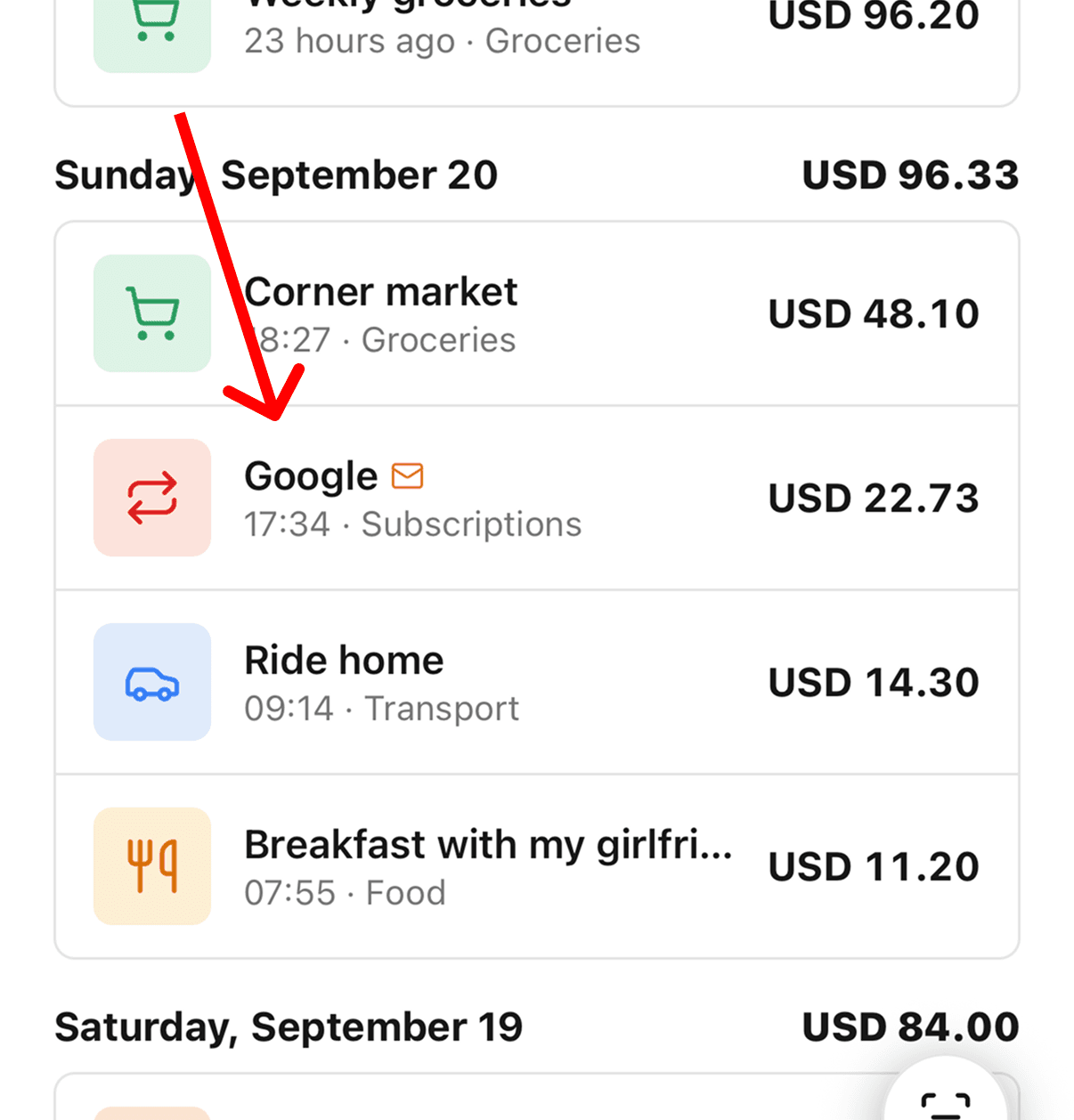
It's not magic, and there are other apps that do more or less the same thing. It has three or four screens, and that's it. There's no list of supported banks, so it works in any country. It's paid, after a free trial.
The reality is that it's only as complete as your bank's emails. In my case, while I'm traveling I only use one card, a BCP credit card, and every payment with it comes in by email. You also need a computer once, for the forwarding rule. It took me like six minutes, but I'm a developer, so for other people it could take more. And there's no web app.
Skwad: also email alerts, for the US and Canada
Skwad also reads bank email alerts, and it can link your bank too if you ever want that. It's focused on banks in the US and Canada. If you bank there and you want a web version next to the phone app, it's worth a look.
Which one to pick
If you want to feel every purchase and you don't mind typing, Goodbudget or the free EveryDollar. If you want a full budgeting method and you can pay for it, YNAB with your accounts unlinked. If you don't want your data in anyone's cloud, Actual Budget or a spreadsheet.
If most of your spending is card payments and subscriptions, and you know you'd forget to type them, an app that reads your bank's emails, like Bolsaro. That's my case: I don't track my spending by hand, and I'd only use something automatic.
What tracking by email looks like after a month
Right now I'm traveling, and if I'm honest, I'm not 100% sure how much I've spent this month. I spend the minimum: normal food, a regular hotel, a few things. Bolsaro kind of gives me an idea of where the money goes.
This month it was definitely email: like 80% of my expenses came in on their own. But that's because I pay almost everything with my credit card, subscriptions, Airbnb, flight tickets, even restaurants when they take cards. The rest is cash, for the places here that don't take cards, and that part I add by hand.
One thing surprised me. Paying everything with the card, I started noticing that in a week I can spend between two and three hundred dollars on food. That's not fundamentally wrong, it depends on the country you're in, but I didn't notice it before. I actually didn't know how much I was spending on it. And it's a regular expense, not something I bought once.